


Views: 0 Author: Site Editor Publish Time: 2026-09-29 Origin: Site


Buyers frequently invest in modular lighting arrays only to encounter high latency, dropped connections, limited ecosystem compatibility, or clunky proprietary apps that make changing display scenes frustrating. The primary value of modular lighting lies in dynamic adaptability, but the user experience is entirely dictated by the reliability and versatility of the scene-switching mechanism. Understanding the underlying hardware—like IC chips, touch sensors, and controllers—alongside software protocols such as Wi-Fi, Bluetooth, DMX, and smart home integrations is mandatory. You must evaluate these components to determine which system will meet specific performance, scalability, and aesthetic requirements. We see many installations fail because users overlook the control architecture. When you want a smooth transition from a bright daylight workspace to an immersive gaming environment, the underlying technology must execute that command flawlessly without network lag or hardware bottlenecks.
To evaluate a system's reliability, you must first understand how the command to change a scene travels from the user interface to the physical diode. The journey begins at the control module, travels through the data lines, and terminates at the individual LED chips. Any bottleneck in this pathway results in stuttering animations, frozen panels, or failed scene transitions. The hardware dictates the ceiling of your system's performance.
The physical control box houses a Microcontroller Unit (MCU) responsible for processing scene data. When you select a new scene, the MCU translates that request into digital signals sent down the data line. High-quality controllers feature robust onboard memory, allowing them to store complex scene data locally. Local storage ensures instant switching without relying on an active internet connection. Conversely, cheaper controllers often rely on cloud-retrieved scenes. Cloud reliance introduces noticeable latency, as the command must travel to a remote server and back before the lights react.
When evaluating color changing hexagon lights, you will encounter different approaches to data management. Systems using ESP32 microcontrollers can handle high-density data streams, making them ideal for rapid scene changes. Lower-end systems using basic Bluetooth chips struggle with bandwidth, limiting them to simple color fades rather than complex, multi-layered animations.
| Feature | Local Onboard Memory (Premium MCU) | Cloud-Based Retrieval (Budget MCU) |
|---|---|---|
| Latency | Near-zero (instant switching) | Noticeable delay (1-3 seconds) |
| Offline Functionality | Fully operational without internet | Fails completely if Wi-Fi drops |
| Animation Complexity | High (processes heavy data locally) | Limited by network bandwidth |
| Data Refresh Rate | High (smooth gradients) | Low (stepped, blocky transitions) |
Scene switching relies entirely on addressable LED technology. Inside each panel, Integrated Circuit (IC) chips control specific clusters of diodes. Common chips like the WS2812B or SK6812 allow for independent color and brightness control across the entire array. Without ARGB technology, the entire fixture could only display a single solid color at a time. The IC chip reads the incoming data packet, applies the specific color value to its assigned LED, and passes the remaining data down the line.
Pixel mapping is the software process that tells the MCU where each panel sits in physical space. When an animation like a wave or a chase sequence activates, the controller uses this map to send data to the correct panel at the exact right millisecond. Accurate panel sequence mapping ensures animations flow correctly across custom layouts. If the mapping is incorrect, a smooth color wave will appear disjointed and chaotic, jumping randomly from one side of the wall to the other.
The physical orientation of connectors dictates the data path through your lighting array. Modular panels utilize specific input and output slots on their connection hubs. Data flows in a single direction. The MCU sends the signal to the first panel, which reads its specific instruction, and then passes the remaining data to the next panel in the chain.
Improper physical linking causes animated scenes to stutter, loop incorrectly, or fail to recognize specific panels. If you connect two output slots together, the data flow stops immediately. The panels downstream from the error will remain dark or freeze on their last known color. Planning the directional flow during installation is mandatory for seamless scene transitions.
Comparing the primary interfaces users interact with reveals significant differences in daily usability. The method you choose to trigger scene changes directly impacts the convenience and responsiveness of your RGB hexagon wall lights. Relying solely on a smartphone app is often insufficient for dynamic environments.
Proprietary applications serve as the primary control hub for most users. Evaluating these apps requires looking at UI responsiveness, custom scene creation tools, and macro capabilities. A well-designed app allows you to layer effects, adjust transition speeds, and save custom palettes instantly. Poorly optimized apps suffer from input lag, frequent crashes, and confusing navigation menus that make simple color changes a chore.
Open-source alternatives offer massive advantages for advanced users seeking localized, cloud-free control. Firmware like WLED bypasses proprietary restrictions entirely. WLED provides deep technical control over data lines, allowing for highly complex, user-generated scenes without relying on external servers. You can flash an ESP8266 or ESP32 board with WLED to take complete ownership of the hardware, ensuring your lighting system never becomes obsolete due to a discontinued app.
Premium panels utilize built-in touch sensors to trigger scene changes. These capacitive sensors detect the electrical properties of the human hand, disrupting a localized electromagnetic field. Users can adjust brightness, cycle through saved palettes, or play interactive games via physical taps and swipes. Evaluating the responsiveness and gesture-mapping capabilities of touch-enabled arrays is necessary before purchasing. High-end panels register a swipe instantly, changing the scene as your hand moves across the wall. Budget panels often suffer from ghost touches or require hard, repeated taps to register an input.
Assessing the latency and reliability of switching scenes via Amazon Alexa, Google Assistant, and Apple HomeKit reveals stark differences in protocol efficiency. Voice commands are incredibly convenient but often restricted to static colors or pre-set scenes rather than complex custom animations.
Latency is a common issue with voice control. When you ask a digital assistant to change a scene, the audio is processed in the cloud, sent to the lighting manufacturer's server, and then routed back to your local controller. Localized smart home protocols, such as Matter over Thread, minimize this round-trip delay. By keeping the communication on your local network, the scene switch executes almost instantaneously.
Utilizing internal real-time clocks (RTC) or app-based routines allows systems to switch scenes automatically based on the time of day. This feature is vital for users wanting hands-off operation. You can implement circadian lighting scenes that shift throughout the day. The system can display cool, energizing whites (around 5000K) in the morning and transition to warm, relaxing ambers (around 2700K) at night. Wake-up and sleep timers gradually adjust brightness, simulating a natural sunrise or sunset without any manual input.
The necessity of physical fail-safes becomes apparent when network connectivity drops. Most kits include an in-line controller attached to the power cable. This small module features physical buttons to cycle through default scenes and toggle power. Evaluating the limitations of IR/RF remotes compared to network-based switching is straightforward. Infrared remotes require line-of-sight and only offer basic static color changes, lacking the bandwidth to trigger complex, multi-layered animations. They serve as a backup rather than a primary control method.
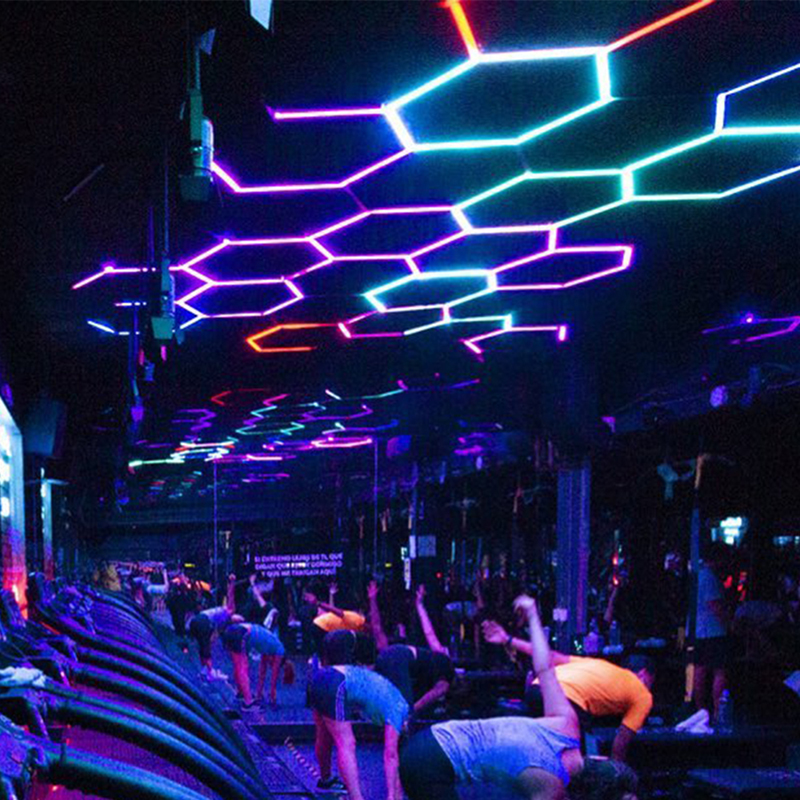
How systems handle real-time, automated scene switching based on external stimuli defines their capability for immersive environments. Advanced synchronization moves beyond manual inputs, allowing the lighting to react dynamically to its surroundings. This is particularly relevant for overhead installations where manual touch control is impossible.
Evaluating desktop software integrations reveals how effectively panels can mirror digital environments. Programs like Corsair iCUE, Razer Chroma, and SignalRGB switch scenes dynamically based on on-screen gameplay or system temperatures. Screen reading software captures the edge pixels of your monitor and translates them into UDP packets sent directly to the panels. When an explosion occurs on screen, the panels flash orange and red. When diving underwater in a game, the array shifts to a deep, rippling blue.
Latency requirements for screen-mirroring setups are incredibly strict. If the scene switches half a second after the on-screen action, the immersive effect is ruined. High-speed local network connections or direct USB links are mandatory to maintain the necessary polling rates for real-time synchronization. Wi-Fi interference will immediately cause the RGB hexagon ceiling lights to lag behind the gameplay.
Hardware-based acoustic sensors versus software-based audio routing represent two different approaches to music synchronization. Built-in microphones offer plug-and-play convenience. They listen to ambient noise and trigger scene changes based on volume spikes. However, basic electret microphones often pick up unwanted background noise, leading to erratic flashing rather than rhythmic pulsing.
Software-based audio routing captures the digital audio signal directly from the source device. Evaluating the accuracy of frequency response and rhythm mapping in dynamic scenes shows that digital routing is vastly superior. It uses Fast Fourier Transform (FFT) processing to separate the audio into distinct frequency bands. This allows the controller to isolate the bass track for heavy pulses while mapping high-hats to rapid, localized flashes across specific panels.
Managing synchronized scene changes across hundreds of panels in retail or hospitality environments requires industrial-grade solutions. You must abandon consumer apps for DMX512 or Art-Net protocols. DMX is an RS-485 serial protocol that allows lighting technicians to program exact scene transitions using professional lighting consoles. A single DMX universe controls 512 channels, providing absolute precision across massive arrays. This hardwired approach prevents the data bottlenecks and dropped packets that cause consumer-grade Wi-Fi controllers to crash under heavy loads.
The technical specifications that justify price premiums in customizable RGB hexagon lights are found in the details of their data processing and power management. You cannot judge a system solely by how it looks in a static photograph; you must evaluate how it handles dynamic data.
Measuring the delay between command input and visual output exposes the quality of the MCU. Premium systems execute commands in milliseconds. The impact of polling rates on the smoothness of animated scene transitions is highly visible. A low refresh rate causes color gradients to appear blocky and stepped. High refresh rates, driven by high-frequency Pulse Width Modulation (PWM), ensure that fading from one color to another looks perfectly smooth, even at low brightness levels. Low PWM frequencies also cause visible flickering when recorded on camera.
Evaluating whether a system allows for multi-layered scenes is a strict test of its software capability. Basic systems only allow one effect at a time. Premium software allows you to set a static background color and apply an active reactive overlay on top of it. For example, you can maintain a dim blue background while a bright white comet effect shoots across the panels. The ability to share, download, and modify community-created scenes adds massive value, ensuring you always have access to new visual displays without programming them from scratch.
How different scenes impact power consumption dictates the stability of the entire array. Bright white static scenes draw significantly more wattage than dim, moving color scenes. White light requires the red, green, and blue diodes to fire simultaneously at maximum capacity. A single LED might draw 60mA at full white, but only 20mA when displaying a mixed color.
Dynamic power limiting features automatically adjust brightness during complex scene switches to prevent hardware overloads. If a sudden scene change demands more power than the supply can provide, a premium controller will scale back the overall brightness rather than allowing the system to crash, reboot, or blow a fuse.
The risks of investing in a closed ecosystem are substantial. If the manufacturer stops updating their app, your ability to switch scenes smoothly degrades over time. Matter and Thread compatibility serve as future-proofing standards for seamless cross-brand scene switching. These universal protocols ensure that your panels will communicate directly with other smart devices on your local network, regardless of the manufacturer, allowing you to trigger scenes using sensors or switches from entirely different brands.
Common technical failures associated with dynamic lighting arrays usually stem from poor network planning or inadequate power distribution. Addressing these physical and digital infrastructure requirements prevents scene-switching failures.
Addressing the 2.4GHz Wi-Fi limitation common in smart lighting is the first step to reliable operation. Most IoT controllers lack 5GHz radios. If your router auto-steers devices between bands, the lighting controller will frequently drop off the network, making scene switching impossible. Furthermore, 2.4GHz networks suffer from channel overlap, especially in dense apartment buildings.
Isolating IoT devices on dedicated VLANs or guest networks ensures reliable scene switching. By locking the lighting controller to a strict 2.4GHz broadcast on a non-overlapping channel (1, 6, or 11), you eliminate the connection drops caused by band steering and network congestion.
Voltage drop causes color degradation during high-brightness scene transitions. As power travels further down the chain of panels, resistance in the thin internal wiring increases. By the time the voltage reaches the end of a long array, a 5V signal may drop to 3.5V. This causes white scenes to turn yellow or pink at the far end of the installation, ruining the visual uniformity of the RGB hexagon lights.
Calculating power supply requirements and planning secondary power injection points is mandatory for arrays exceeding standard starter kits. Injecting power at the middle or end of the run using parallel AWG wiring ensures uniform voltage delivery. This guarantees that scenes display accurate colors across every single panel, regardless of how far they are from the primary controller.
The risk of bricked controllers or deprecated apps rendering scene switching impossible is a reality in the smart lighting market. A failed firmware update over an unstable Wi-Fi connection can permanently disable the MCU, turning your expensive lighting array into dead plastic.
Prioritizing brands with a proven track record of backward compatibility and local-control fallbacks mitigates this risk. Systems that support open-source firmware like WLED provide a permanent safety net, ensuring your hardware remains fully functional even if the original manufacturer ceases operations or abandons the product line.
A: Most systems use a 2.4GHz Wi-Fi control module, though some budget options rely solely on Bluetooth. Premium models are increasingly adopting Thread border routing for faster, more reliable network integration.
A: Yes, if you purchase a premium system equipped with touch-capacitive sensors. These allow you to swipe or tap individual panels to cycle through saved scenes, adjust brightness, or trigger smart home routines.
A: Yes, provided the lighting system supports desktop screen-mirroring software or integrates with third-party applications like Razer Chroma or SignalRGB.
A: Voice commands must travel to a cloud server (like Amazon or Google), process the request, and send the command back to your local network controller. Systems utilizing local control protocols (like Apple HomeKit or Matter) significantly reduce this latency.
A: High-quality controllers feature onboard non-volatile memory that retains your custom scenes and last-used state, whereas cheaper controllers may reset to a default factory scene after a power loss.
A: Yes. Most kits include a physical in-line controller with basic scene-switching buttons. For advanced, app-free control, users can integrate the lights into a smart home hub using physical smart switches, utilize touch-enabled panels, or use DMX controllers for commercial setups.
A: Flickering during scene transitions is typically caused by insufficient power supply (voltage drop across too many panels), outdated firmware, improper directional linking during installation, or a low-quality IC chip struggling with high data-refresh rates.


