


Views: 0 Author: Site Editor Publish Time: 2026-10-16 Origin: Site


Tired of fumbling for your smartphone just to change your room's lighting? Picture this scenario. You walk into your gaming den holding a cup of coffee. Instead of unlocking an app and navigating menus, you simply say, "Alexa, game time." Instantly, your walls erupt in vibrant neon purple. Many homeowners ask if their decorative smart panels actually integrate with popular home assistants. The short answer is yes. Most premium Wi-Fi models sync effortlessly. In this technical guide, we break down the exact setup steps. We will also explore advanced features and provide actionable buying parameters to perfect your smart home architecture.
Smart Home Compatibility: Premium Wi-Fi-enabled modular lights integrate seamlessly with Amazon Alexa and Google Assistant for hands-free voice control.
Connectivity Matters: A 2.4GHz Wi-Fi connection is strictly required. Bluetooth-only models lack the internal network hardware to support remote smart assistant integration.
Advanced Features: Linking your lighting hardware to smart hubs unlocks conditional routines, precise scheduling, and automated scene switching.
Audio Integration: Sound-reactive hardware processes ambient audio locally. This creates a zero-latency immersive experience for gaming setups or home theaters.
Easy Troubleshooting: Most connection failures stem from router band steering conflicts or outdated API token permissions.
The direct answer is yes, provided you select the correct hardware. Understanding the underlying network topology helps clarify why some models operate flawlessly while others refuse to connect. App-controlled lighting establishes a communication bridge. This bridge links the physical hardware, the manufacturer cloud servers, and your smart home ecosystem.
Continuous internet access is mandatory for this cloud-based communication bridge. Specifically, a 2.4GHz Wi-Fi connection acts as the lifeblood of smart assistant integration. Amazon and Google do not communicate with your lights via local radio waves. Instead, they rely on remote Application Programming Interfaces. Without a Wi-Fi link connecting your lights to your home router, your voice commands hit a digital dead end.
Budget-friendly modular panels often rely exclusively on Bluetooth receivers. This localized protocol requires your phone to be within roughly thirty feet to transmit commands. These controllers cannot access your home Wi-Fi network. Consequently, they remain entirely invisible to cloud-based assistants. Verifying Wi-Fi capability prior to purchase is your first crucial step if hands-free voice operation is a priority.
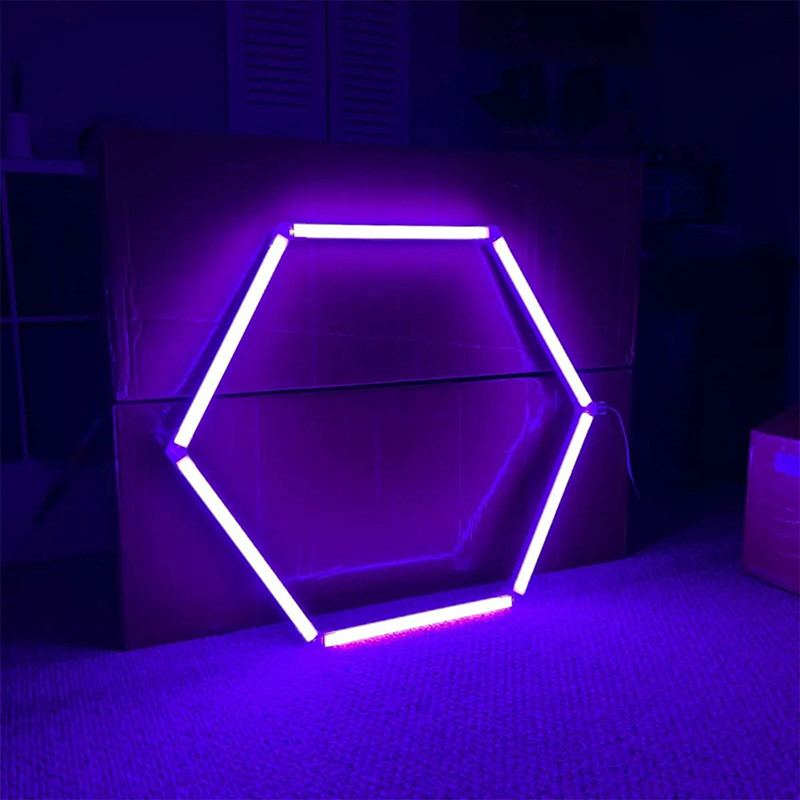
Taking a few minutes to configure this integration yields practical benefits extending far beyond basic power toggling. It transforms static fixtures into an interactive part of your daily routine. Let us examine the core engineering advantages of a fully synced system.
Pure operational convenience is the most immediate advantage. Voice control eliminates the friction of navigating menus to adjust your lighting. You can issue highly granular commands by assigning specific naming conventions during setup. Stating, "Google, dim the office hexagons to 30 percent," executes a precise adjustment instantly. This allows you to maintain focus on your current task.
Integration transforms your lighting into a core component of a conditional ecosystem. Both platforms feature Routines that trigger multiple actions simultaneously based on a single command. Imagine a Movie Time automation. With one phrase, your motorized smart blinds lower, the main overhead lights shut off, and your wall panels shift to a warm amber to reduce screen glare.
Wi-Fi-enabled controllers maintain a constant cloud connection. This grants you global access to your hardware from anywhere with an internet connection. Remote access offers distinct security benefits. You can simulate your presence by toggling lights while on vacation. You can also ensure all non-essential electronics are powered down after leaving for the office.
Connecting your hardware to the Amazon ecosystem involves linking the manufacturer application via an Alexa Skill. Fully install your panels first. Ensure they are operational on your local 2.4GHz network using the native application before beginning this process.
Launch the Amazon Alexa interface on your mobile device. Tap the More icon situated in the bottom right corner. Next, select Skills and Games. This directory houses all third-party integrations required for smart home communication.
Utilize the search function to locate the exact native application you used during the initial setup. Tap the correct skill from the populated list to initiate the linking process.
Select Enable to Use. The app will redirect you to a secure login portal. You must enter the credentials for your lighting app here, rather than your Amazon password. This crucial digital handshake authorizes Amazon to ping the lighting manufacturer servers.
The app will prompt you to discover new devices once authenticated. Simply say, "Alexa, discover my devices" if the screen stalls. Assign the newly found panels to a specific room group after the scan completes to keep your digital home perfectly organized.
The Google integration relies on a similar logic but utilizes a slightly different interface pathway. Always verify the panels are functioning on your local network first to prevent synchronization errors.
Tap the Add icon located in the upper left corner of the screen from the main dashboard of the Google Home application.
Navigate to Set up device. Choose the Works with Google option. Engineers designed this specific pathway for linking external cloud services rather than native Google-branded hardware.
Scroll or search through the comprehensive list of smart home services to find your native lighting app. Log in with your application credentials. Approve the authorization request to bridge the two accounts successfully.
Do not skip the final organizational phase. Assigning the hardware to a specific room allows for contextual commands. The smart assistant knows exactly which fixtures you are referring to if you stand in the bedroom and say, "Turn off the lights."
Static colors provide an excellent ambient glow. However, audio-reactive technology introduces a dynamic element to any space. Utilizing an RGB Hexagon Light with Music Sync allows the physical hardware to respond in real-time to your auditory environment. This feature bridges the gap between sight and sound.
A dedicated micro-electromechanical systems microphone sits inside the control box. When activated, it continuously samples ambient decibel levels. The internal processor translates these acoustic cues into digital PWM signals. This dictates brightness and color-shifting speeds with virtually zero latency.
Understanding the division of labor is important here. You can say, "Alexa, turn on music mode." The smart speaker does not process the audio itself. The voice command merely instructs the physical controller to activate its internal microphone and take over the light show locally.
Placing these audio-reactive panels behind a monitor creates an immersive gaming setup. Sudden in-game explosions trigger immediate visual flashes. Syncing the lighting to high-tempo workout playlists in home gyms creates an energetic atmosphere that pushes your pacing to the next level.
Looking at the current trajectory of the smart home sector, there is a distinct shift toward unified connectivity protocols and lower-latency local processing. Industry data indicates consumers are abandoning fragmented ecosystems. They now favor universally compatible hardware. As smart home hubs become more advanced, the demand for edge computing is skyrocketing. Users want lights that react instantly to voice commands without bouncing off a remote cloud server. This trend underscores the importance of investing in modern Wi-Fi hardware capable of keeping pace with rapidly evolving automation standards.
Integrating IoT devices occasionally presents technical hurdles. Fortunately, standard network misconfigurations cause the vast majority of synchronization failures. These issues are easily resolved with a few engineering tweaks.
Router frequency incompatibility is the most frequent culprit. Modern routers utilize band steering. This feature broadcasts both 2.4GHz and 5GHz bands under a single network name. Smartphones usually default to the faster 5GHz band. Consequently, they attempt to pass unreadable credentials to the 2.4GHz-only lighting chip. Temporarily disable the 5GHz band in your router settings to resolve this network conflict. Complete the lighting setup, and then re-enable the 5GHz band.
The API token linking the accounts has likely expired if your system suddenly displays an unresponsive error in the Alexa app. Do not delete the hardware from the native app. Open your smart assistant app, unlink the manufacturer service, and log back in. This forces a fresh digital handshake and restores connectivity instantly.
A manual factory reset is necessary when physical panels refuse to enter pairing mode. Unplug the main power adapter from the wall, wait three seconds, and plug it back in. Repeating this sequence five times clears the internal memory. The panels will flash rapidly to indicate they are ready to pair.
Selecting the correct hardware prevents endless frustration during installation. Not all modular panels meet the same manufacturing standards. Applying objective engineering criteria to your purchase is vital for long-term reliability.
Visual quality relies heavily on LED density and diffusion materials. Lower-tier products suffer from hotspotting, where individual diodes are glaringly visible through thin plastic. Premium premium RGB Hexagon Lights utilize high-density SMD5050 LED strips paired with thick polycarbonate shells. This ensures edge-to-edge uniformity and the accurate reproduction of complex hues.
To help you make an informed decision, review the technical differences between standard budget panels and premium smart models below.
Technical Parameter | Budget Bluetooth Models | Contation Premium Wi-Fi Models |
|---|---|---|
Voice Assistant Sync | None | Native Alexa & Google Home |
LED Chip Type | Standard RGB | High-Density SMD5050 |
Audio Reactivity | Phone Mic Only | Built-in Zero-Latency Mic |
Shell Material | Thin Plastic | Thick Polycarbonate ABS+PC |
Consider your future scalability. High-quality systems feature robust connectors and power supplies capable of supporting large installations. Always verify the maximum panel limit per controller before planning a massive geometric wall design. Exceeding this limit without supplementary power causes severe brightness degradation.
The practical applications of these panels are bound only by your imagination once successfully integrated. Leveraging voice commands allows you to seamlessly adapt your environment to specific scenarios.
Background aesthetics are paramount for content creators. Standard room fixtures create harsh shadows on camera. Setting up a specific routine automatically dims overheads and switches your background panels to your channel branding colors. Integrating an RGB Hexagon Light with Music Sync adds an interactive layer. This provides dynamic visual feedback to game audio without requiring manual tweaks mid-stream.
Lighting serves as functional art in contemporary interior design. You can construct abstract geometric patterns across living room walls that transition throughout the day. A scheduled routine emits a bright daylight tone during the afternoon. It then automatically fades to a relaxing warm amber as evening approaches to reduce blue light exposure.
The garage is rapidly evolving into a high-tech extension of the home. Installing modular panels above a workbench provides shadow-free task lighting. Asking your smart speaker to maximize brightness is incredibly practical when your hands are covered in grease. It keeps your workspace clean and efficient.
Syncing your app-controlled panels with Amazon Alexa or Google Home is a straightforward process that profoundly enhances your daily routines. Eliminating the friction of manual controls unlocks a more responsive living space. We highly encourage you to experiment with conditional automations and explore dynamic audio-reactive features. If you are ready to upgrade your environment with professional-grade hardware, explore Contation LED RGB Hexagon Lights to start building your ideal smart aesthetic today. The right hardware makes all the difference in a seamless smart home experience.
Amazon and Google assistants treat the entire cluster of connected panels as a single cohesive unit. The command applies to the whole sequence when you issue a color or brightness adjustment. You will need to utilize the manufacturer native smartphone application to create intricate multi-colored patterns where each panel displays a different hue. Voice assistants currently lack this level of granular pixel mapping customization.
Yes. These systems incorporate fallback mechanisms for internet outages. Most kits include a physical control box with tactile buttons for basic power and color cycling. Dual-mode chips also allow direct Bluetooth control from your phone within a close physical range. However, all remote access, smart routines, and voice commands remain disabled until the Wi-Fi connection is successfully restored.
Native compatibility with Alexa and Google is standard across the industry. Apple HomeKit support is significantly rarer due to stringent hardware encryption requirements. You must rigorously check the product packaging for the official Works with Apple HomeKit badge if you operate exclusively within the iOS ecosystem. Bridging non-compatible hardware requires advanced third-party software like Homebridge.
The functionality of audio sync depends entirely on how the hardware captures sound. Most systems rely on a physical microphone built into the controller to detect ambient acoustic waves. They will not react if the room is silent and audio is only playing through your headset. PC gamers seeking headset compatibility should look for specialized desktop software that captures internal system audio directly from the motherboard.
No. Smart lighting hardware transmits tiny packets of text-based data to receive commands. These instructions consume negligible bandwidth. Your streaming services, video calls, and gaming latency will remain completely unaffected even if you add dozens of smart panels to your local network.
Smart lighting chips strictly require a 2.4GHz network. The 2.4GHz frequency penetrates physical walls better and offers a significantly longer range. This makes it the standard for IoT devices. You must ensure your smartphone connects to the 2.4GHz band during the initial pairing process to successfully pass the network credentials to the lights.


